DATEV
OnERP issues the invoices; DATEV keeps the books. A DATEV export turns a period’s released invoices and credits into postings (Buchungen) for DATEV, so nobody types them again. Before the first export, the selling company needs its DATEV client settings and at least one DATEV profile. Running an export is Export to DATEV.
Client settings on your company
Section titled “Client settings on your company”-
Open Master Data → Business Partners and open your own company.
-
On the DATEV tab, fill in the DATEV Adviser Number (Beraternummer), from 1001 to 9999999, and the DATEV Client Number (Mandantennummer), from 1 to 99999. Both come from your tax advisor.
-
Set the Fiscal Year Start as a month,
1for January to12for December, and the Account Number Length (Sachkontenlänge), from 4 to 8 digits. Customer accounts have one digit more. -
Choose Save.
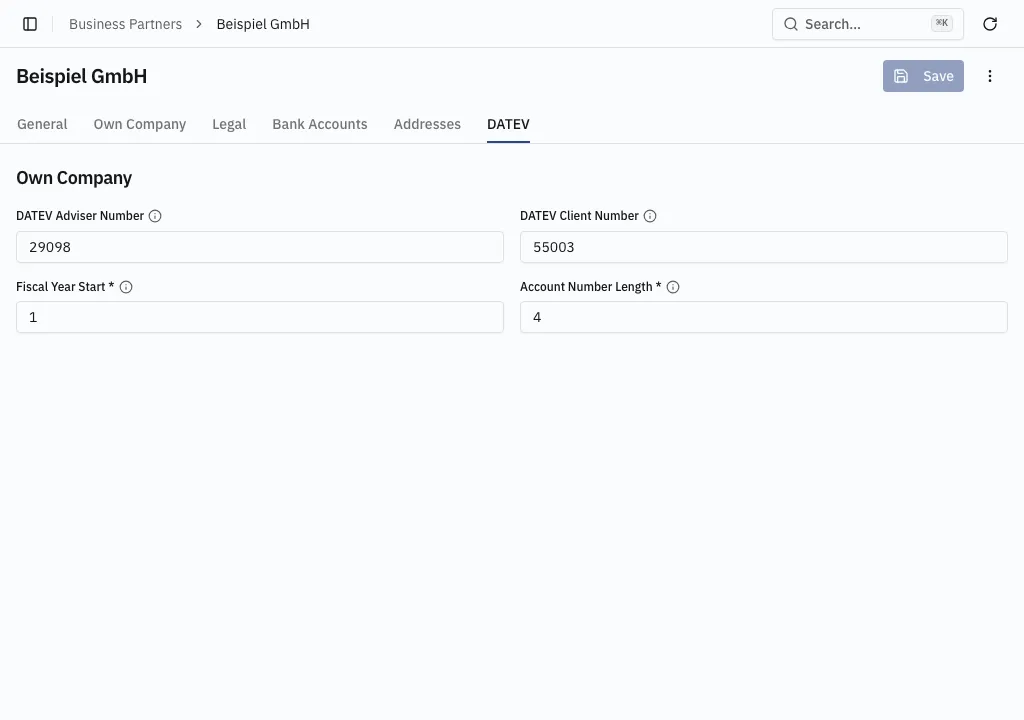
With two own companies, each carries its own settings and exports as its own DATEV client.
Create a DATEV profile
Section titled “Create a DATEV profile”A profile is one route into DATEV, such as your tax advisor or DATEV Unternehmen online. A company can have several.
-
Open Configuration → DATEV Profiles and choose Create.
-
Fill in the Name and choose the Company whose invoices it exports.
-
Choose the Format: DATEV Format (EXTF) for the posting batch (Buchungsstapel) a tax advisor imports, or DATEV XML Interface for DATEV Unternehmen online, which receives each invoice with its PDF.
-
Choose the Chart of Accounts (Kontenrahmen): SKR 03 or SKR 04. The Revenue accounts fill with that chart’s standard accounts. Change an account or add a row as your tax advisor asks.
-
Under Shared customer accounts, add an account for each sales channel and payment method that should have one, and fill in the Fallback Account.
-
Under Invoice texts and Credit texts, change what a posting carries if your tax advisor asks for it. Insert a value from the invoice with a path in braces, such as
{documentNumber}or{customer.name}. -
Choose Save.
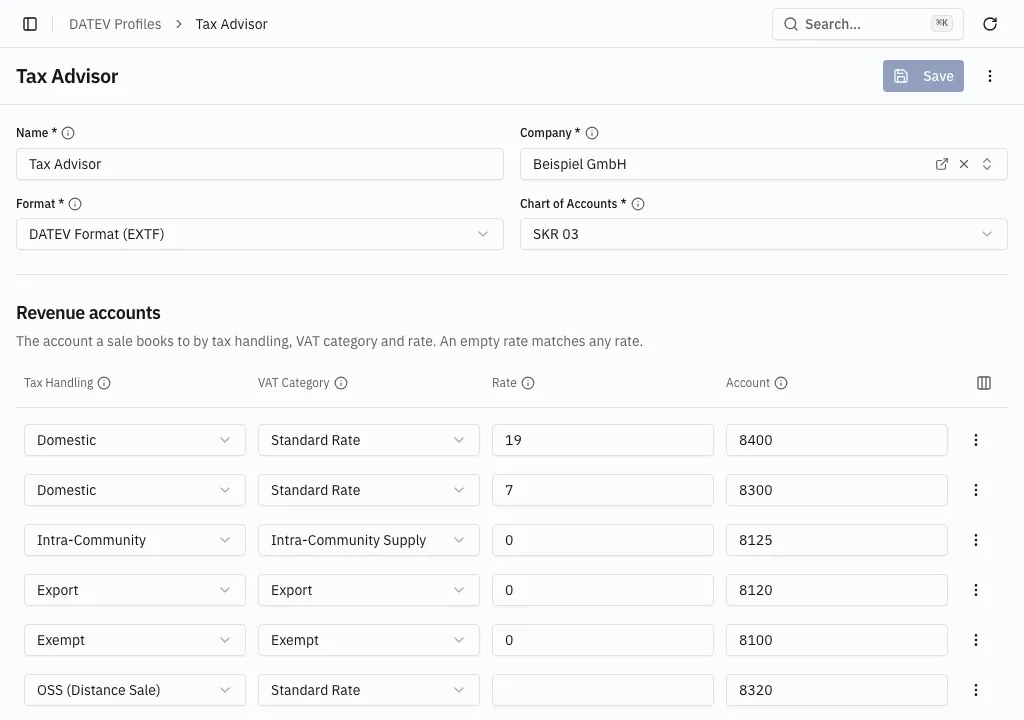
Which revenue account, customer account and voucher number each posting gets, and the rules DATEV sets for the texts, are in How an invoice books to DATEV.
A customer’s own account
Section titled “A customer’s own account”A business customer gets its own customer account (Debitorenkonto) in DATEV, so DATEV keeps its open items apart. Fill in the DATEV Customer Account on the Customer tab of the business partner, or import it to carry over the account number from your previous system. A customer without one books to the shared accounts above.