Stock and the ledger
Open Inventory → Stock. On hand shows current quantities; Ledger records every change.
Seeing what you hold
Section titled “Seeing what you hold”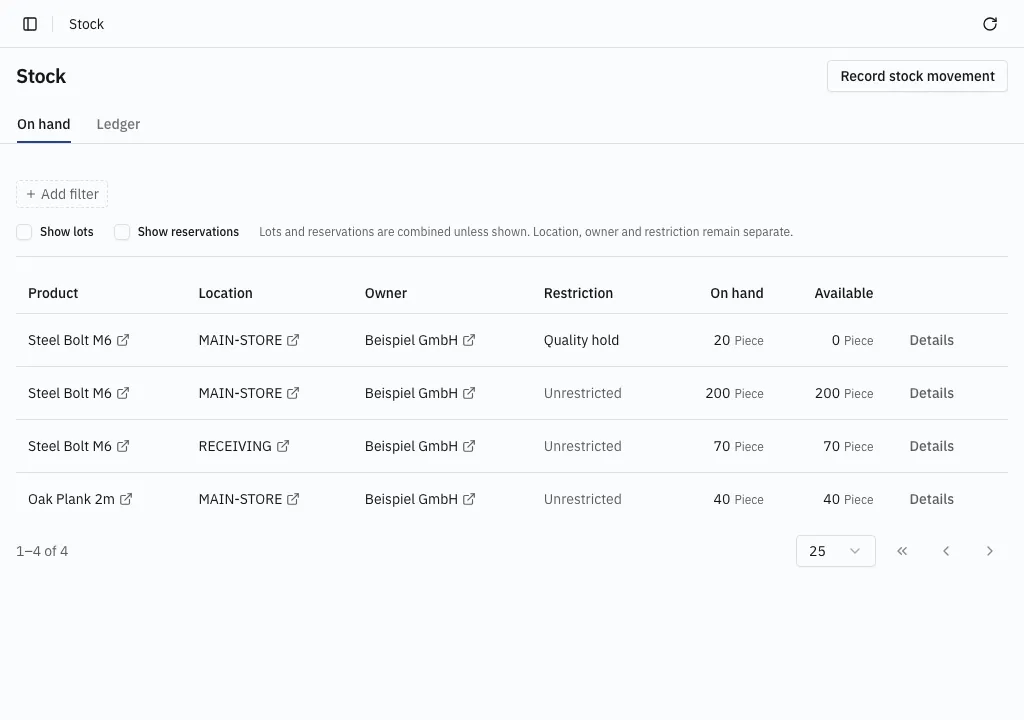
The overview always separates product, location, owner and restriction. Your own goods and a supplier’s goods are different rows, as are unrestricted goods and goods on a quality hold.
On hand counts everything in the row’s scope. Available counts only stock that is both unrestricted and unreserved. Quantities are in the product’s base unit, and there is no grand total across products.
Show lots and Show reservations split rows further. With those columns hidden, their quantities are combined.
Narrowing the list
Section titled “Narrowing the list”Add filter narrows the stock included in the quantities:
- Within location covers a location and its descendants — a warehouse and its bins.
- Location means exactly that location, even if it has children.
- Product, owner, lot, restriction and reservation narrow the matching attribute.
- Unrestricted, Unreserved and No lot select actually empty attributes. Removing the filter instead includes every value.
Tables have page controls, and a page boundary never changes a summary’s quantity.
Exact positions
Section titled “Exact positions”Details opens the exact stock behind an overview row, keeping its filters and every displayed dimension. Each position has its own quantity and all six stock dimensions.
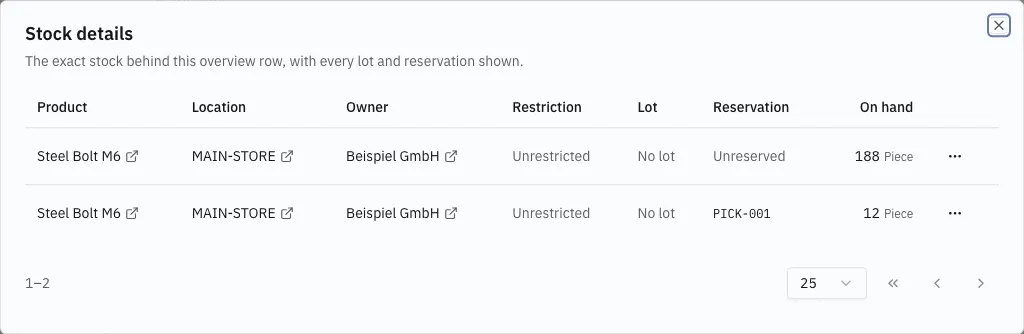
A position’s ⋯ menu offers Book out and Transfer, opening the booking dialog with the operation, product, source location and exact position already chosen. Reserved positions offer only Transfer; fulfillment consumes reservations through its own workflow.
Reading the ledger
Section titled “Reading the ledger”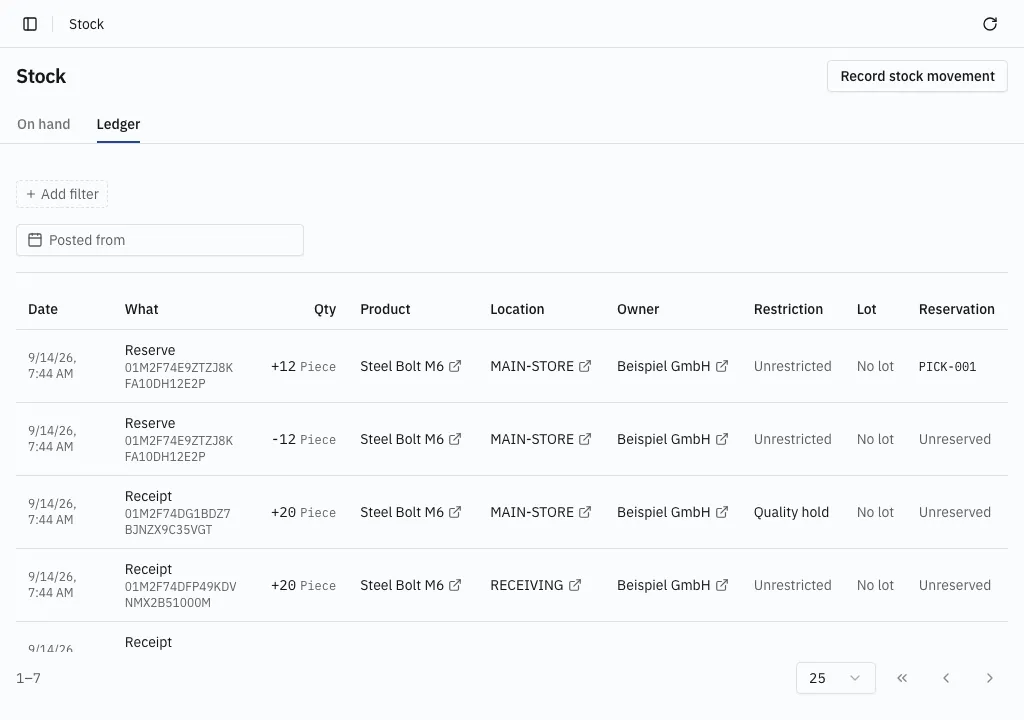
Each row shows its posting time, operation, source document, exact dimensions and signed quantity. The operation links to the document where the reason is recorded. A warehouse filter keeps the location column so its bins stay distinguishable, and the posting-date range narrows the history.
A transfer writes a negative entry at its source and a positive entry at its destination. Reserving stock writes a negative Unreserved entry and a positive entry carrying the reservation reference, at the same location — their sum is zero, because the claim changed rather than the quantity.
A page can hold only one side of a transfer, and a filter may deliberately select only one side.
The same view elsewhere
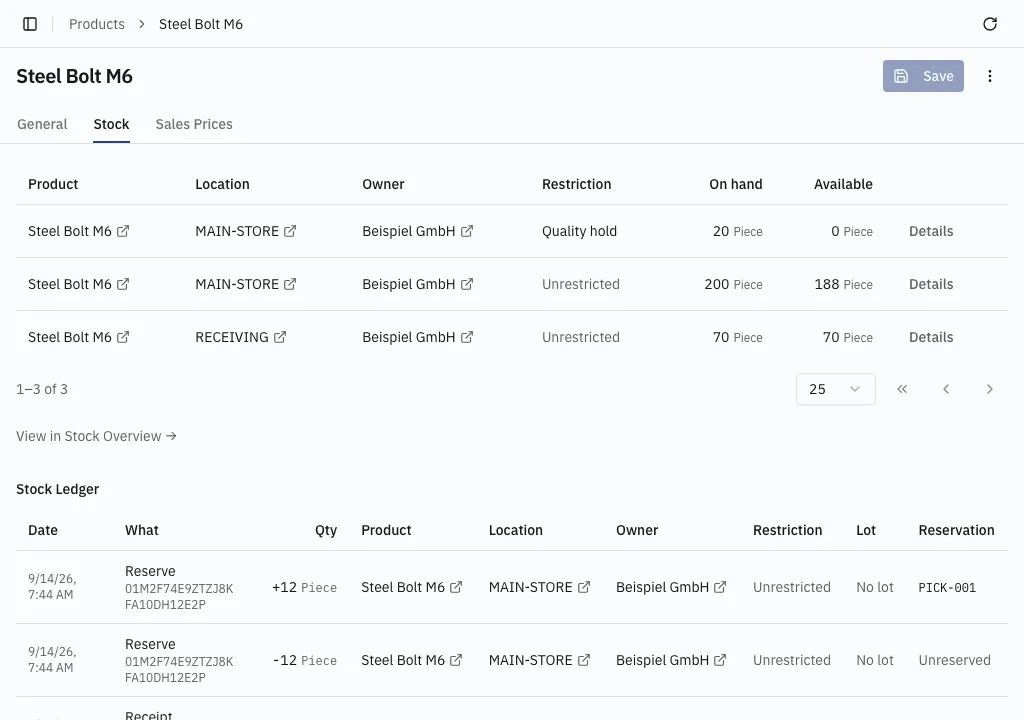
Section titled “The same view elsewhere”A product’s Stock tab and a location’s detail page show the same paginated stock and ledger sections, scoped to that record. Links open the full Stock screen in that scope.
On a device, the warehouse app browses the same stock by scanning.
Why a quantity reads that way
Section titled “Why a quantity reads that way”How stock is counted explains physical against available, restrictions, reservations, and why movements are never edited.