Your company and sales channels
A new workspace is not empty, but it cannot yet sell. OnERP fills in what is the same for everyone and leaves what is yours blank.
What a new workspace holds
Section titled “What a new workspace holds”| Where | What is already there |
|---|---|
| Configuration → Number Series | Sales Order Numbers (SO-{YYYY}/{#####}), Sales Invoice Numbers (SI-{YYYY}/{#####}) and Purchase Order Numbers (PO-{YYYY}/{#####}) |
| Configuration → Payment Terms | Net 30 |
| Configuration → Payment Methods | Bank Transfer |
| Configuration → Tax Classifications | Standard, Reduced, Exempt |
| Configuration → Tax Jurisdictions | every EU country’s VAT rates, read-only |
| Configuration → Stock Restrictions | Quality Inspection and Blocked |
Everything else starts empty: roles, business partners, your own company included, sales channels, product categories, product types, business partner groups, shipping methods, and locations, without which no stock can move.
Create the company you sell as
Section titled “Create the company you sell as”-
Open Master Data → Business Partners and choose Create.
-
Fill in the Name and the primary Address, including its Country. The address’s Name is your company’s full legal name, as it prints on your letterhead. A document from a company without a country cannot be released.
-
On the General tab, under Roles, turn on Own Company. On the Own Company tab that appears, fill in the Managing Directors. Only a partner with this role can sell on your documents or own your stock.
-
Under Document settings, set the Currency, Payment Terms and Payment Method a document falls back to when its customer names none, and the Sales Order Series, Sales Invoice Series and Purchase Order Series — see Document numbering. The Stationery is an optional PDF your documents print on instead of the letterhead — see Send a document.
-
On the Legal tab, add a Tax Registration for that country with its VAT ID, or its Tax ID if the company has no VAT ID. A released invoice’s PDF cannot be produced without it. The Legal Identity fields — legal form, registration number and court — print on documents too.
-
On the Bank Accounts tab, add the account to be paid to and set Default.
-
Choose Save.
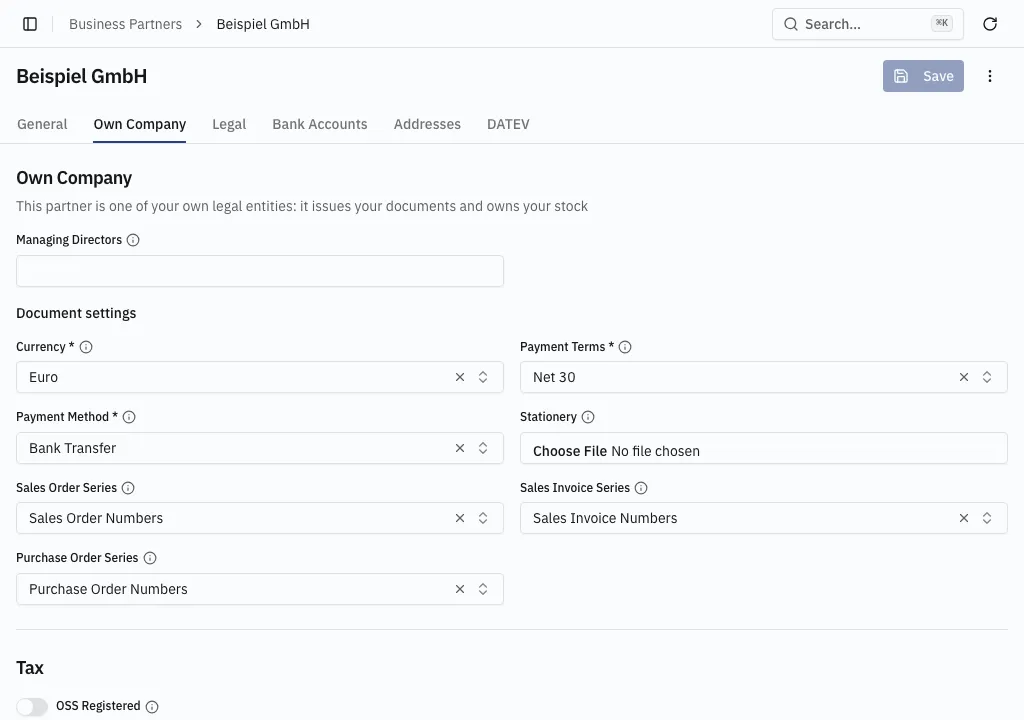
Business partners covers the rest of the form. With one own company, every new sales document is issued by it. With more than one, each document names its Seller.
Add a sales channel
Section titled “Add a sales channel”A sales channel (Vertriebskanal) is one way a company sells, such as a web shop or B2B. It is optional. A document that names a channel takes the channel’s settings where it has them and the company’s everywhere else, so a channel holds only what differs: a web shop that takes PayPal, or numbers its invoices in a range of its own.
-
Open Configuration → Sales Channels and choose Create.
-
Fill in the Name and choose the Company that sells through it.
-
Under Overrides, fill in only what differs from the company: Payment Terms, Payment Method, Sales Order Series or Sales Invoice Series. Empty fields use the company’s.
-
Choose Save.
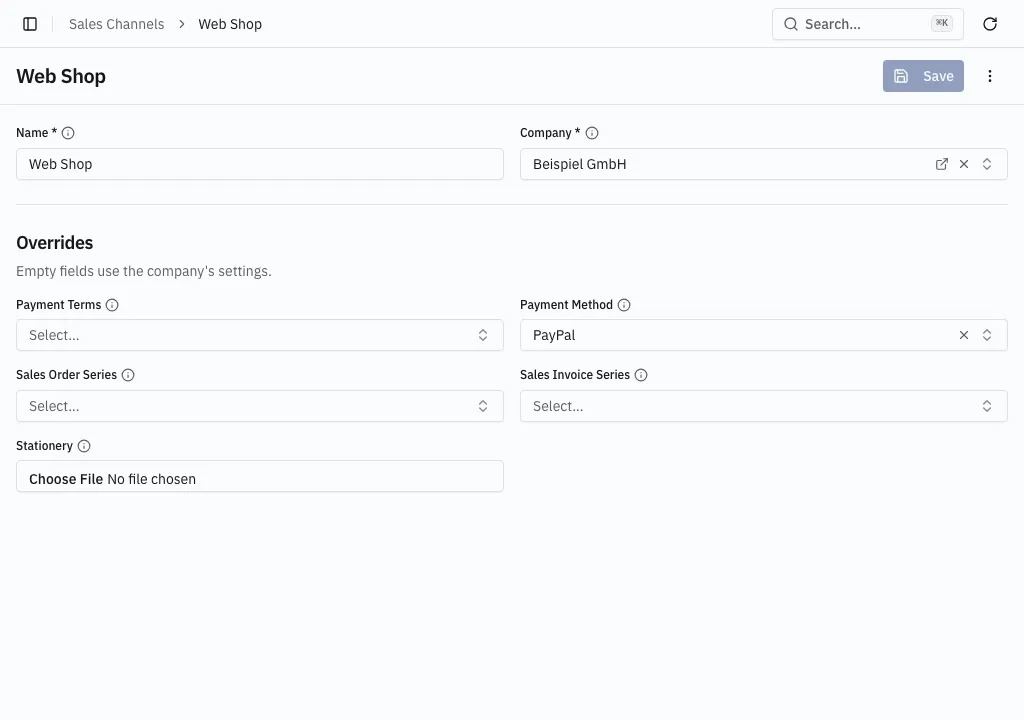
A customer’s Sales Channel under its Customer role is proposed on every new document for that customer, and choosing a channel makes its company the seller. A document without a channel, such as a one-off invoice, uses the seller’s settings.
The lists that start empty
Section titled “The lists that start empty”- Product categories and product types organise products.
- Business partner groups organise partners and can scope pricing.
- Shipping methods are a label on the order.