Payment terms
Configuration → Payment Terms holds the terms every document can name. A new workspace has one, Net 30, which is a starting point rather than a policy.
An order or invoice cannot be released without terms.
Add a term
Section titled “Add a term”-
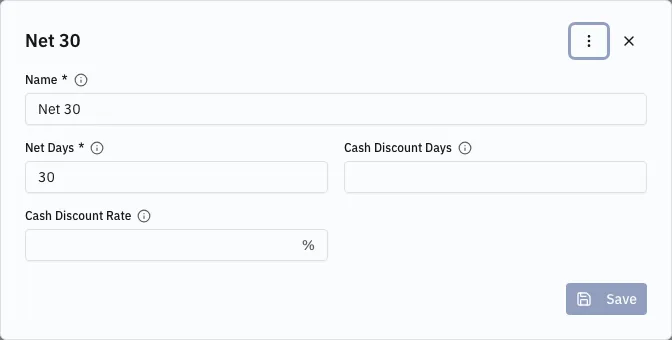
Open Configuration → Payment Terms and choose Create. It opens in a dialog.
-
Enter a Name. It is only the label the terms are picked by — a document words them from the numbers, so what is typed here is never printed.
-
Set Net Days — days from the document date until due.
0means immediately. -
For a German cash discount (Skonto), set Cash Discount Days and Cash Discount Rate: pay within that many days, take that percentage off the gross total. Set both or neither.
-
Save.
How terms reach a document
Section titled “How terms reach a document”Terms arrive in a cascade: the customer’s own Payment Terms win, and when the customer names none the profile’s Default Payment Terms apply. Terms picked by hand on a document are never overwritten.
Put the common case on the profile and override it per customer.
Reaching the end of that chain is not an error — the document saves, and is refused at release. What an invoice stamps, and why the rate is copied rather than read back, is in Payment terms.