Supplier prices
A supplier price records one article a supplier sells you for one product, under Master Data → Supplier Prices or a product’s Supplier Prices tab. Several suppliers can each have their own price for the same product, and one supplier can have several, for example one per pack size or quality.
Make a partner a supplier
Section titled “Make a partner a supplier”On the business partner’s General tab, under Roles, turn on Supplier. On the Supplier tab that appears, set the Currency, Payment Terms and Payment Method the supplier grants you, and Our Customer Number, the number the supplier knows you by. These are separate from the partner’s Customer role: a partner you both buy from and sell to keeps two sets of terms. See Business partners.
Record a price
Section titled “Record a price”-
Choose Create.
-
Under General, choose the Product and the Supplier. Only partners with the Supplier role can be chosen. Add the supplier’s own Supplier SKU and Supplier Product Name when its catalogue names the product differently.
-
Under Pricing, enter the Currency, the Unit the supplier quotes in and the Lead Time (Days) from ordering to delivery. The unit must share the product’s base-unit dimension.
-
Under Scales, add one row per amount: the Quantity From it applies from and the Amount per unit. A single price is one row from
0. -
Under Validity, set an optional Valid From and Valid To.
-
Choose Save.
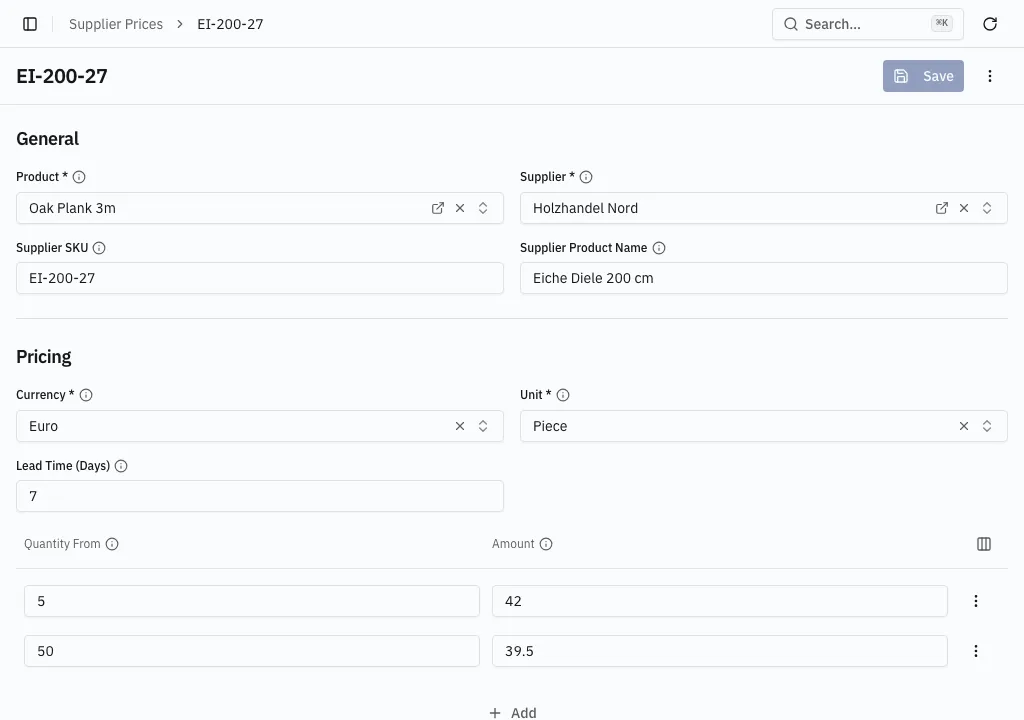
An order line priced from this article takes the amount of the highest scale its quantity reaches. Below the lowest scale, the line gets no price. See Order from a supplier.