Invoice an order
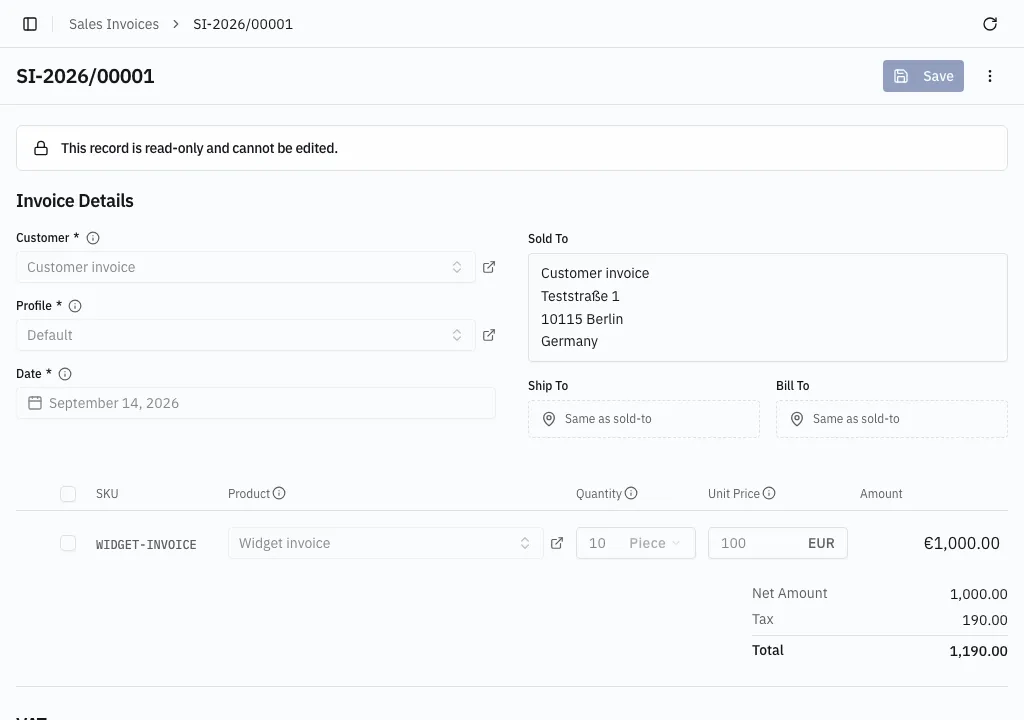
A sales invoice is the bill sent to a customer. It is built from the same parts as an order — parties at the top, lines in the middle, Net, Tax and Total at the bottom — and numbered from its own series.
Invoice from an order
Section titled “Invoice from an order”-
Open a released sales order and choose Create Invoice from the ⋮ menu.
-
A picker lists the order’s lines with what each still has open; earlier released invoices are already subtracted. Every open line starts selected in full.
-
Uncheck a line, or type a smaller quantity, for a partial invoice.
-
Choose Create Invoice. The invoice is created, numbered and released in one step, and opens straight away. It can no longer be edited.
To look it over first — add the Service Date, reword a line — choose Save as draft instead. The invoice opens as a draft: no number yet, and absent from the Sales Invoices list, so this is the way to it. Finish it and choose Release.
The order itself is untouched and stays Open.
Invoice without an order
Section titled “Invoice without an order”-
Open Sales → Sales Invoices and choose Create.
-
Pick the customer and the profile.
-
Add line items: product, quantity, price.
-
Save, then Release. The invoice is numbered and can no longer be edited.
Nothing tax-related is typed in. It follows from the customer’s country and VAT registration exactly as on an order — see How tax is decided.
The invoice journal
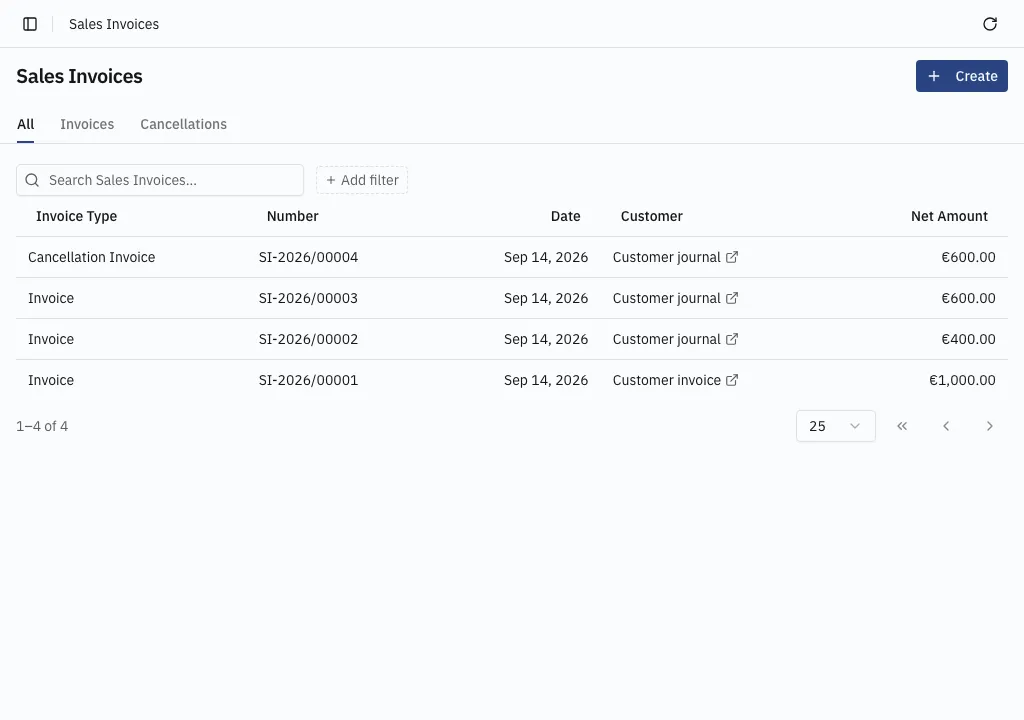
Section titled “The invoice journal”The list leads with an Invoice Type column — Invoice, Cancellation Invoice or Correction Invoice — which can be filtered on, and the tabs above split the journal the same way: Invoices, Cancellations, Corrections, or All, where the list opens so the journal reads unbroken.
Numbering
Section titled “Numbering”Invoices draw from the Invoice Series named on the profile, separate from orders, so invoice numbers run unbroken however many orders are raised. See Document numbering.
Send it: PDF and e-invoice. Credit part of it: Correct an invoice. Withdraw it: Cancel an invoice.