Service accounts
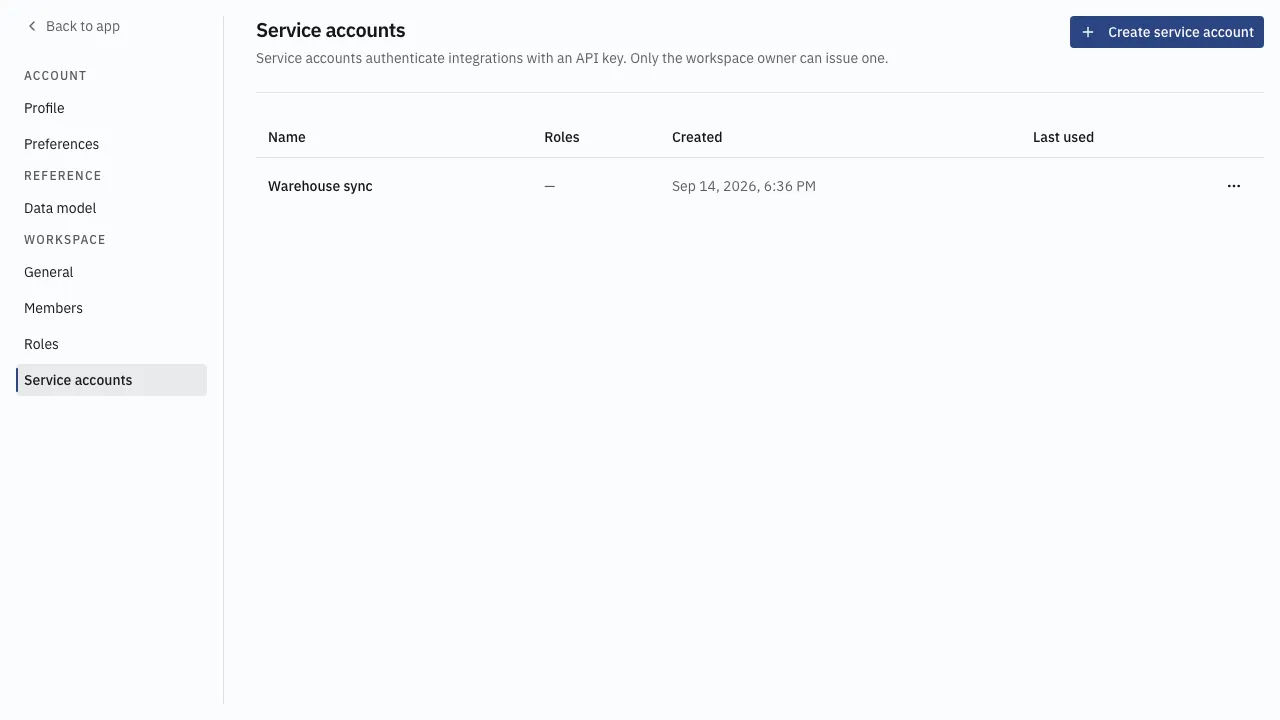
A service account is how something that is not a person signs in: a warehouse sync, a shop connector, a script. It authenticates with an API key instead of a password, and holds roles exactly as a member does.
Only the workspace owner can issue one.
Issue a key
Section titled “Issue a key”-
Open settings from the workspace name in the sidebar, then Service accounts.
-
Choose Create service account and name it after the integration that will use it —
Warehouse sync, notkey 2. -
Add the roles it needs. Give it the narrowest set that does its job; a key that can only read stock cannot release an invoice.
-
Choose Create. The API key is shown once.
-
Copy the key into the integration now. It is never shown again.
Managing them
Section titled “Managing them”The list shows each account’s roles, when it was Created, and when it was Last used — which is how an integration nobody remembers gets found.
Editing an account changes its name and its roles. It does not reissue the key.
Revoke stops the key working immediately, and every integration using it stops with it. Revocation cannot be undone; a replacement is a new account with a new key.
Good practice
Section titled “Good practice”- One account per integration, never one shared key.
- Roles narrowed to the job, reviewed when the integration changes.
- Revoke rather than edit when a key may have leaked.