Document numbering
A number series defines how documents are numbered. A new workspace has two — one for sales orders, one for sales invoices — and a profile names which series each of its documents draws from.
Invoices are numbered from their own series, so invoice numbers run unbroken however many orders are raised.
Set a series up
Section titled “Set a series up”-
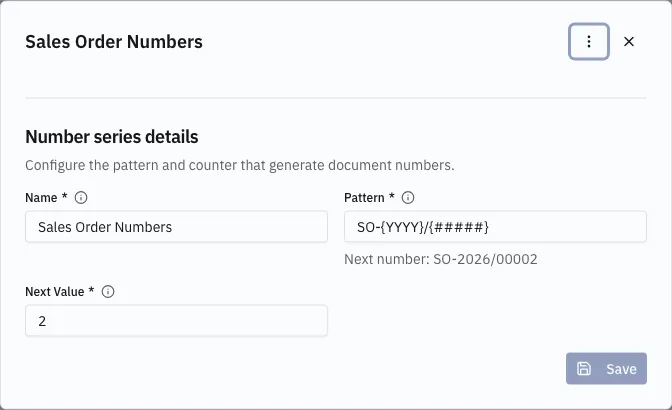
Open Configuration → Number Series and click a row. It opens in a dialog.
-
Set the Name, the Pattern, and the Next Value.
-
Save. The next document released takes that value.
The pattern
Section titled “The pattern”| Placeholder | Meaning |
|---|---|
{#####} |
the running counter; the number of # sets the padding |
{YYYY} / {YY} |
the year the number is issued |
{MM} / {DD} |
month and day |
SO-{YYYY}/{#####} produces SO-2026/00001, then SO-2026/00002.
Next Value is the only way to start, resume or reset a counter.
When a number is allocated
Section titled “When a number is allocated”A number is allocated when a document is released, not when it is created. A draft carries no number at all, which is why a draft never appears in a list — see Drafts and releasing.