Record a payment
Each movement of money on a payment account is an account transaction (Kontobewegung). It says how much moved, and which sales invoices it settles.
Record a customer payment
Section titled “Record a customer payment”-
Open Finance → Account Transactions and choose Create.
-
Choose the Account the money arrived on, and enter the Booking Date and the Amount. Money in is a positive amount.
-
Enter the Source Reference: the bank’s entry reference, or a receipt number for cash. It must be unique, so the same movement is never recorded twice.
-
Choose the Partner who paid. Copy the Counterparty Name, Counterparty IBAN and Remittance Information from the bank statement; the remittance text usually names the invoice.
-
Under Allocations, add a row, choose the Invoice and enter the Amount it receives. The picker offers only ordinary invoices in the account’s currency and of the account’s company.
-
Choose Save. The invoice’s Paid Amount and Open Amount change at once.
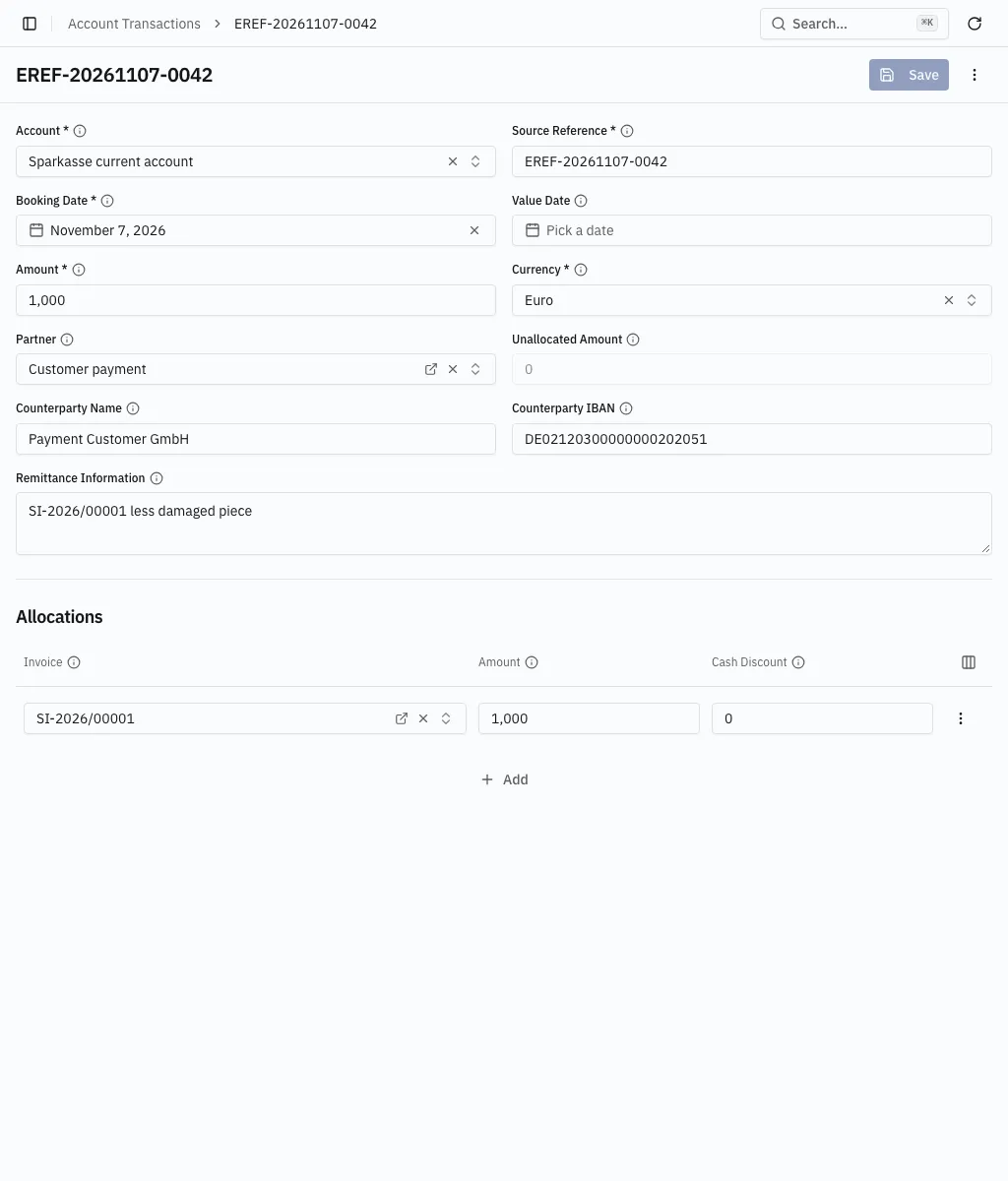
One transfer can pay several invoices: add one allocation row per invoice. Unallocated Amount shows what is left. Money not allocated stays recorded against the partner, and can be allocated later; allocations stay editable after the transaction is saved.
Cash discount
Section titled “Cash discount”When the customer pays the Discounted Total within the cash discount period (Skonto), allocate the money they transferred as the Amount, and the difference as the Cash Discount. Both count toward the Paid Amount, so the invoice reaches an Open Amount of zero.
Refund a customer
Section titled “Refund a customer”A refund is money going out: record it as a transaction with a negative Amount, and allocate a negative amount to the invoice it refunds. The invoice’s Paid Amount goes down by that much.