Products
A product is anything you buy or sell, physical or not, under Master Data → Products.
Add a product
Section titled “Add a product”-
Choose Create.
-
Enter a Name and an SKU, and pick an optional Type and Categories.
-
Choose the Base Unit — the unit stock is counted in. Pick the natural smallest unit.
-
Set Physical Product: Yes for anything held in stock, No for a service.
-
Set Lot Tracked to Yes for batch-traced goods. Every stock movement then asks which lot.
-
Choose a Tax Classification. It is required.
-
Save.
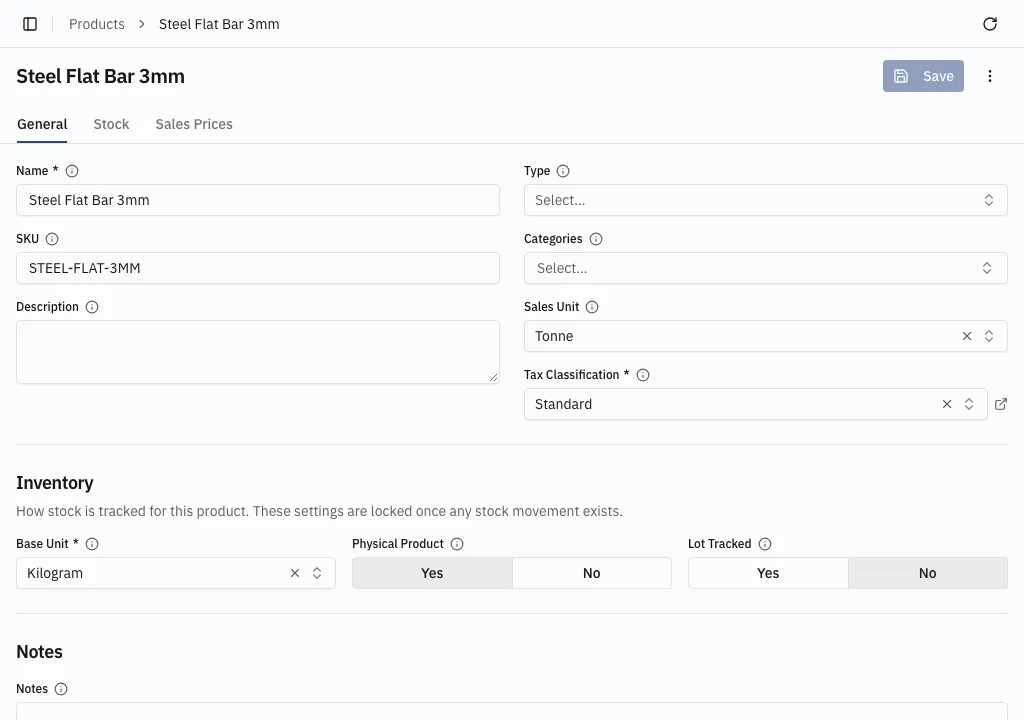
Selling in a different unit
Section titled “Selling in a different unit”Sales Unit sets the unit new sales order lines start in when it is not the base unit. It has to share the base unit’s dimension — Tonne on a Kilogram product — or the save is rejected.
Nothing else has to be declared. Every unit sharing the base unit’s dimension can be priced and ordered in, and quantities convert: stock in Piece and sell by the Dozen, stock in Kilogram and sell by the Tonne. Units of another dimension are not offered at all. See Units and quantities.
The other tabs
Section titled “The other tabs”- Stock — current stock by location and recent movements, with links into the full stock screens.
- Sales Prices — the prices for this product. Add and a clicked row open in a new browser tab. See Sales prices.
Retiring a product
Section titled “Retiring a product”A product that appears on a document cannot be deleted. Archive it from More actions (⋮) — see Actions and archiving.