Read the data model
Settings → Data model renders the meta the browser is running on. It is the composed model: the domains this workspace registered, plus whatever the tenant extended them with. An extension object appears there without the screen knowing it exists.
Nothing is generated and nothing is written down twice. The page reads the same
Meta the forms and lists read, so it cannot disagree with them.
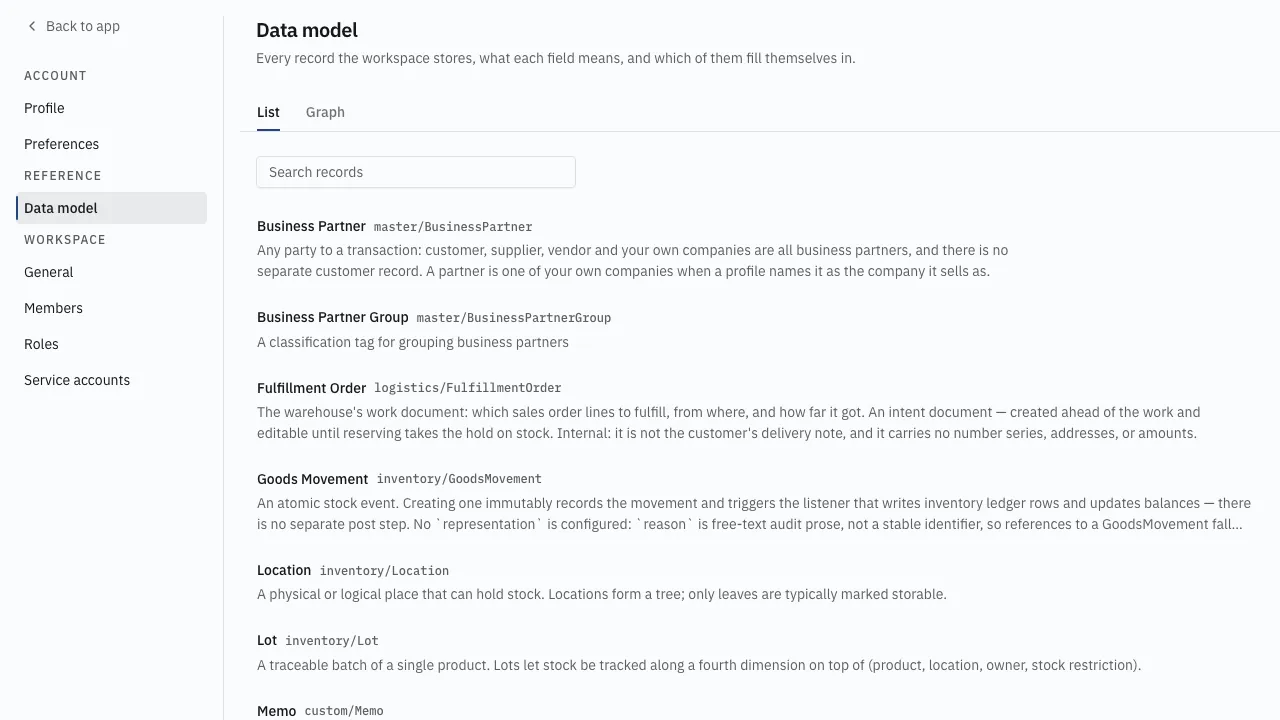
What the list holds
Section titled “What the list holds”Every business object meta holds, by translated name, with its
identifier beside it — an access: "internal" one among them. The screen
describes the model; it does not decide who may read a record.
The view and the search sit in the URL, so a particular object list is a link.
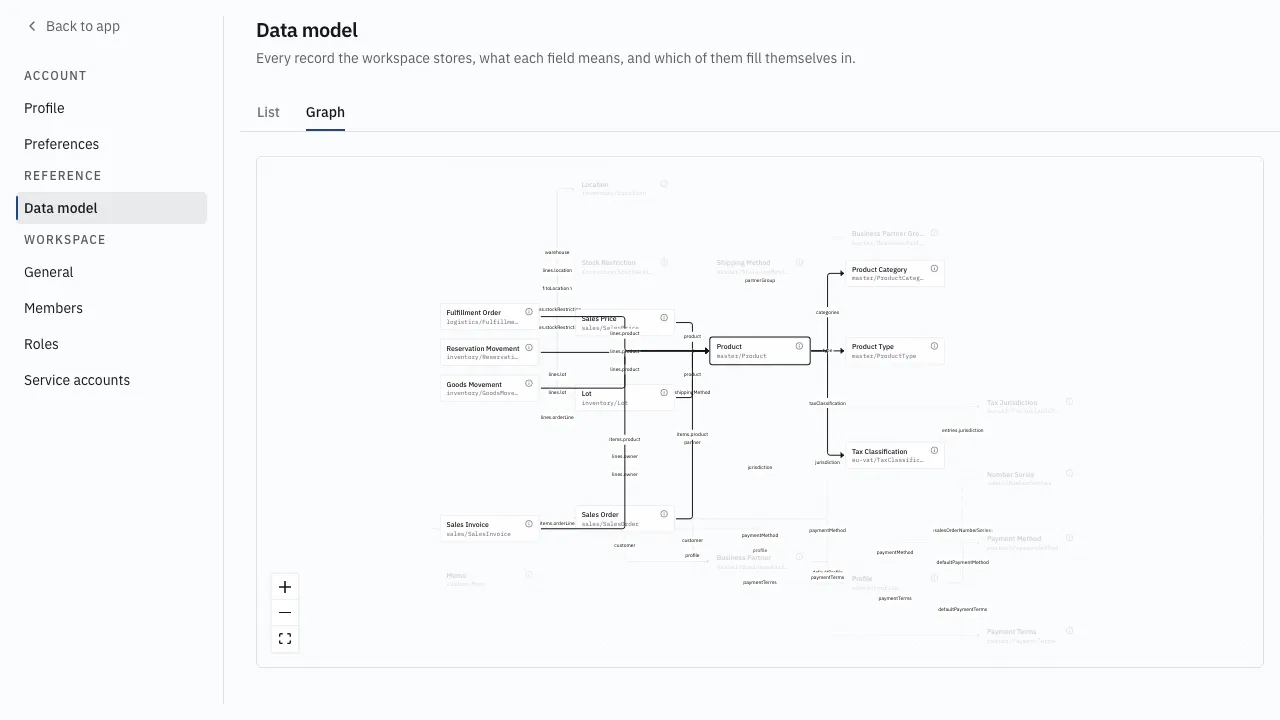
The Graph tab draws the same objects as a reference graph: one node per
object, one edge per referenceOne or referenceMany, labelled with the field
path that points. Clicking a node opens it.
What an object holds
Section titled “What an object holds”The header carries the object’s own declaration — access, archivable, and
the representation a reference renders it by.
Every field is listed at its path, with its label and description in the active
locale, then what the declaration says about it: the kind, and the flags that
matter for reading a record. required, system for a field the user never
types, searchable, the catalog a codeList draws on, and any default.
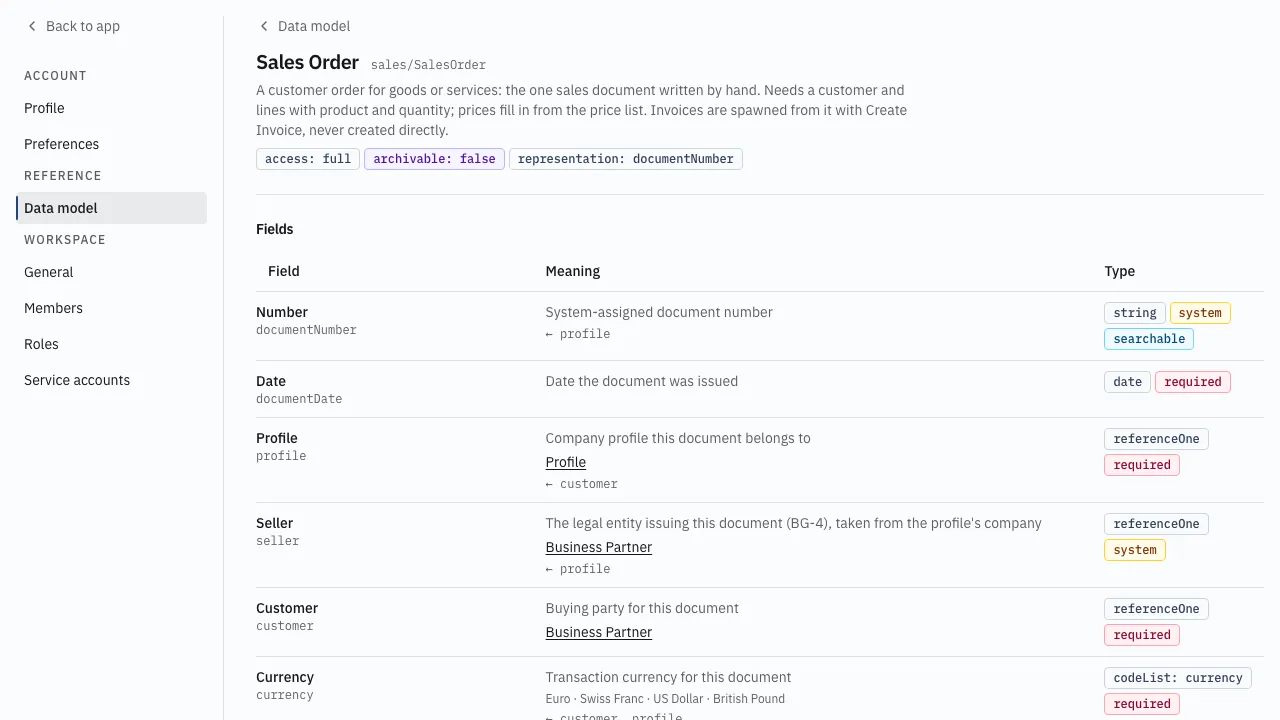
One table holds every field. A struct and a hasMany are rows like any other,
and what they hold is indented under them, one step per level — so a document’s
taxLines and a line’s items.taxLines sit at different depths under different
parents, which is the only thing telling two collections with the same label
apart.
An enum lists its options in the active locale. A reference links to its target, and a Referenced by section lists every field elsewhere that points here — the answer to what breaks when a record goes away.
These are the field kinds, the access values and the lifecycle vocabulary the flags are drawn from: fields and kinds, the lifecycle.
What it offers, and what it checks
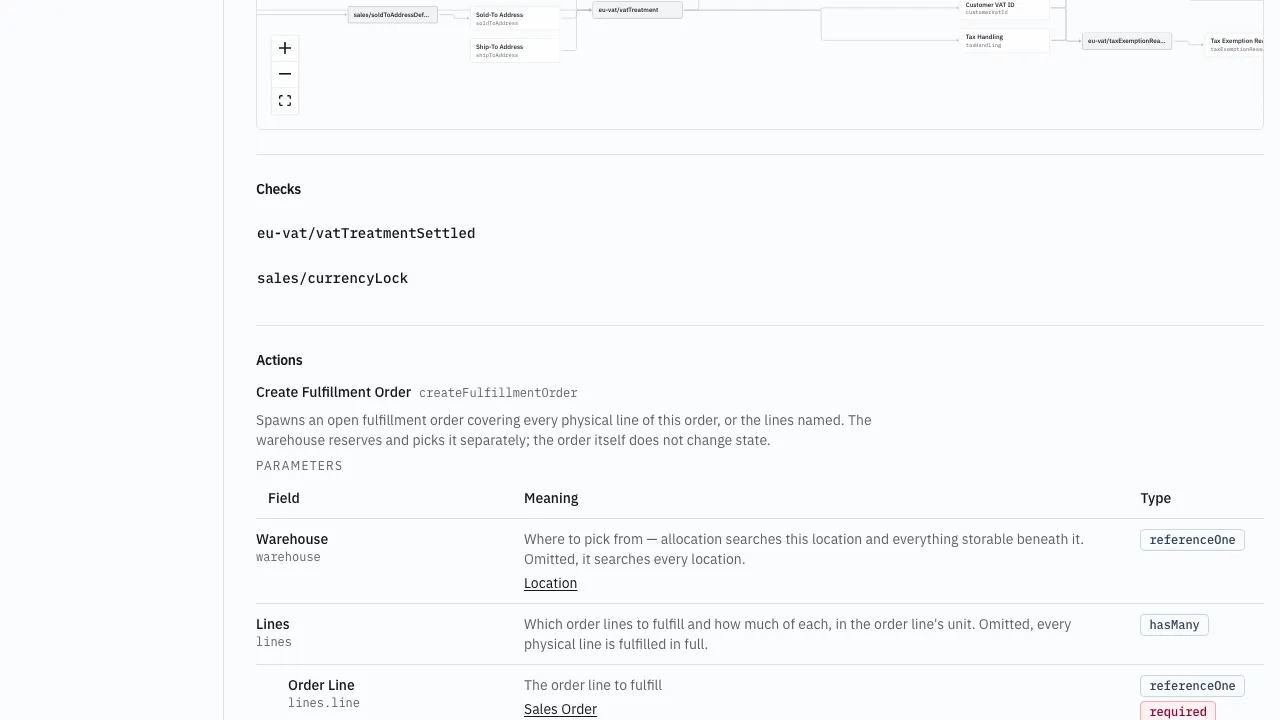
Section titled “What it offers, and what it checks”Actions and Functions each get their own section, and each operation
lists what it takes and what it gives back — its params and returns are
fieldsets, rendered by the same table as the object’s own fields.
Checks lists the object’s validators by name.
What derives what
Section titled “What derives what”Determinations declare inputs and outputs, so the rules of an object draw as
a dataflow: a node per field path, a node per rule, an edge for each side of it.
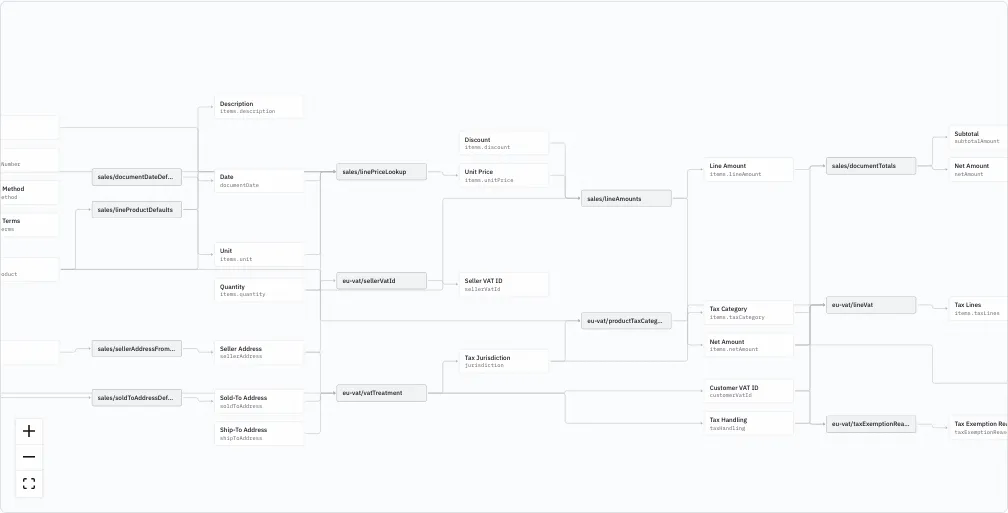
Click a node to light its connections; the edges that touch it animate and the rest fade.
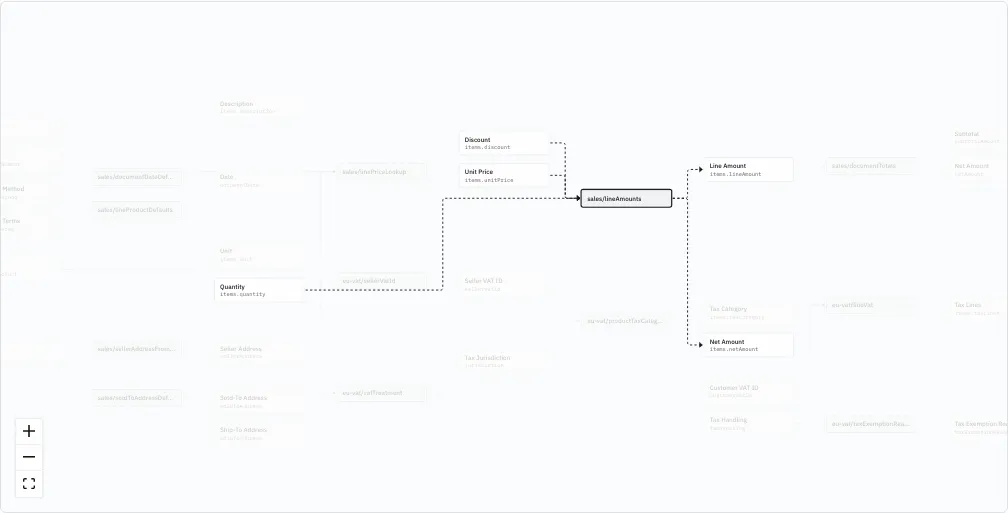
Drag a node to untangle a crossing — the arrangement is not saved, and reloading returns it to the computed layout.
A field the user does not type says where its value came from instead: ← and
the paths of the rule’s inputs.
The graph is all a rule declares that the screen shows: the fields it reads point into it, the fields it writes point out of it. Its description does not appear here.
The code behind a rule runs on the server and never reaches the browser. Determinations and how they compose: determinations.